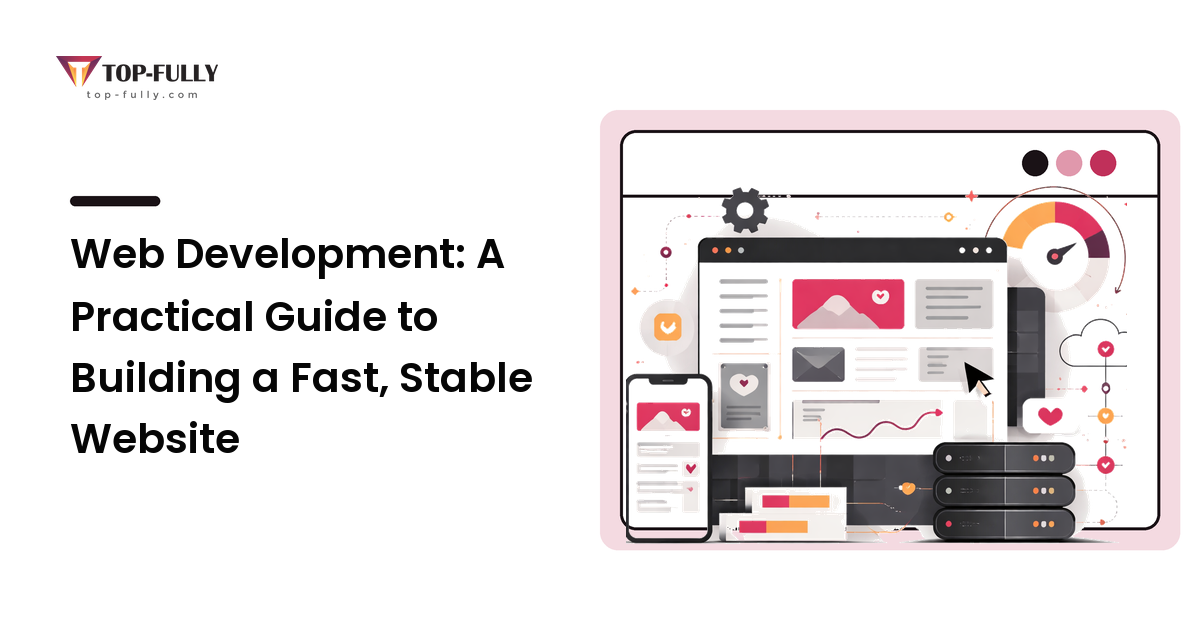
If web design decides what your site should do and how it should feel, web development is the work that makes it real, fast, and reliable. It's the part most owners understand least, which is exactly why it's where budgets get wasted and timelines slip. You don't need to write code to make good development decisions — but you do need to understand enough to ask the right questions, pick the right platform, and avoid a site that looks fine on launch day and becomes a liability six months later.
The short version: the best technical choice is the one that fits your needs and the people who'll maintain the site, not the most powerful or the most fashionable. Choose a platform you can actually run, treat performance and security as core requirements rather than extras, and insist on a build you can hand to someone else without it falling apart.
What web development actually covers
Development is everything between a design and a working website. Design produces a plan and a look; development turns that into pages that load, forms that submit, content you can update, and a site that stays up and secure. If you haven't planned the design side yet, do that first — our web design guide covers defining the site's job, structure, and content, and development goes much more smoothly when those decisions are already made.
It helps to split development into two layers. The front end is what visitors see and interact with in their browser — the layout, buttons, and content rendered on screen. The back end is the engine behind it: where content is stored, how it's managed, and the server that delivers it. A small brochure site leans heavily on the front end; a store or membership site needs real back-end work. Knowing which kind of site you're building tells you how much development it genuinely requires.
Choosing how your site gets built
This is the decision with the biggest long-term consequences, and it's less about "which tool is best" than "which fits how you'll run the site." The main paths, with who each suits:
- Website builders (all-in-one hosted platforms). Best when you need a straightforward site quickly, have a small budget, and want to manage it yourself with no technical help. The trade-off is less flexibility and a ceiling you may eventually hit.
- A content management system (CMS). Best when you publish content regularly and want non-technical staff to update pages without a developer. A CMS is the common middle ground — flexible and widely supported — at the cost of needing some setup and ongoing maintenance.
- Custom development. Best when your site has unusual requirements, complex functionality, or needs that off-the-shelf tools can't meet cleanly. It gives you the most control and the best fit, but it's the most expensive to build and maintain, and it ties you more closely to whoever builds it.
There's no universally correct answer. The right choice balances your budget, how much you'll change the site, who maintains it, and how unusual your needs are. Match the tool to the job, not to prestige — a custom build for a simple site is wasted money, and a basic builder for a complex one becomes a wall you hit fast.
Why performance is a development decision, not a luxury
A slow website quietly costs you visitors, and speed is determined largely by how a site is built, not just how it's designed. People leave pages that take too long to load, and search engines factor speed into rankings, so performance affects both how many people arrive and whether they stay.
The technical levers that matter most are worth knowing by name so you can ask about them:
- Optimized images. Oversized images are the most common cause of slow sites. Properly sized and compressed images often make the single biggest difference.
- Clean, lightweight code. Bloated pages and unnecessary scripts slow everything down. Fewer moving parts load faster.
- Caching and a CDN. Caching stores ready-made versions of pages so they don't have to be rebuilt on every visit, and a content delivery network serves your site from locations closer to your visitors. Both speed things up, especially for an audience spread across regions.
You don't have to implement these. You do need to treat "how fast will it be?" as a requirement you state upfront, and ask whoever builds the site how they'll deliver it — because retrofitting speed onto a slow site is far harder than building for it from the start.
Hosting and security: the foundation you don't see
Hosting is where your website lives — the server that delivers it to visitors. It's invisible until it fails, and cheap, overcrowded hosting is a common hidden cause of slow or unreliable sites. Choose hosting sized to your traffic and the type of site you run, and value reliability and support over the lowest monthly price, because downtime costs more than hosting ever saves.
Security belongs in the same conversation. At minimum, a modern site needs HTTPS (the padlock in the browser, which encrypts traffic and is now expected by both users and search engines), kept-current software so known vulnerabilities are patched, and reliable backups so you can recover if something goes wrong. These aren't optional extras — they're the baseline that keeps a site trustworthy and recoverable. Confirm who is responsible for each before launch, because "I assumed they were handling backups" is a painful lesson.
Build it so you can actually maintain it
A website is not a one-time project; it's something you'll update, fix, and grow. The most expensive mistake owners make is commissioning a build only the original developer can understand, then being stranded when that relationship ends.
Protect yourself with a few non-negotiables. Insist on owning your assets — your domain, hosting account, and code or admin access should be in your name, not locked inside an agency's account. Favor widely used, well-documented tools over obscure ones, because common platforms mean you can always find someone else to work on the site. Ask for basic documentation and a handover so your team knows how to make routine updates. And plan for ongoing maintenance — updates, backups, and small fixes — rather than treating launch as the finish line. A site you can maintain or hand off is worth far more than a clever one you can't.
How to choose: a quick framework
When weighing any development approach, walk through four questions in order:
- Who will maintain the site after launch? Be honest about whether that's you, in-house staff, or an outside developer. This single answer rules out options that need more technical skill than you'll have on hand.
- How often will the content change? Frequent updates point toward a CMS or builder with an easy editor; a rarely-changing site needs less.
- What does it actually need to do? A brochure site, a store, and a membership platform have very different requirements. Don't pay for capability you won't use.
- What's your real budget — including upkeep? Factor in hosting, maintenance, and updates, not just the build. The cheapest build can be the most expensive to run.
Answering these before you talk to anyone keeps the conversation focused on fit, and makes it much harder to be sold something heavier than you need.
Frequently asked questions
Do I need to know how to code to manage a website? No. A good CMS or builder is designed for non-technical owners to update content, and routine changes shouldn't require code. You only need development help for bigger changes or new functionality — which is exactly why choosing a maintainable platform upfront matters so much.
What's the difference between a website builder and a CMS? A builder is an all-in-one hosted tool that trades flexibility for simplicity and speed. A CMS gives you more control and room to grow, at the cost of some setup and maintenance. Builders suit simple sites you manage yourself; a CMS suits content-heavy or growing sites.
How much does web development cost? It varies enormously with the path you choose — a self-managed builder is the cheapest, custom development the most expensive, with a CMS in between. The more useful question is total cost over a few years, including hosting, maintenance, and updates, not just the upfront build.
Why is my website slow, and does it matter? It matters — slow sites lose visitors and can rank worse. The usual culprits are oversized images, bloated code and scripts, cheap overloaded hosting, or no caching. Most are fixable, and a developer can usually identify the main cause quickly.
Who should own my domain and hosting? You should. Your domain, hosting, and site access belong in accounts under your control, not locked inside a vendor's. This protects you if you ever change developers and is one of the simplest ways to avoid being held hostage by your own website.
Bringing it together
Good web development is less about chasing the most powerful technology and more about fit: a platform you can run, performance and security treated as requirements, hosting you can rely on, and a build you can maintain or hand off. Make those decisions deliberately and your website becomes a stable asset that grows with you, instead of a fragile project you're afraid to touch.
Before you commission a build, write down who will maintain the site after launch and how fast it needs to be. Those two answers shape almost every technical choice that follows. When you're ready to plan and build a site that's fast, stable, and yours to keep, Top Fully does this work end to end.